Watch the walkthrough
Find, verify, and remove a vial
Captions are available in the player and start turned off so they do not cover the app. The written transcript is below the video.
Read the video transcript
Choose Search inventory. The box matches a barcode or a donor code; cell line and passage are separate filters below it.
CI-005 is in Cane 1, Box 1, at A3.
Opening it outlines the position in the box, before the dewar is opened.
The vial card carries its origin. This one was frozen down from another vial, and Trace lineage opens the whole chain.
Removing without scanning is allowed, and the app says so: the removal stays unconfirmed until the label is read at the bench. Name the person, and say what happened to it.
A3 is free again, and the box now holds one vial.
The dashboard keeps the unconfirmed removal in view. CryoIndex does not treat an unscanned handoff as settled.
Narration uses an AI-generated voice.
The retrieval rule
Know the address before approaching the dewar.
For several vials, use a pick list instead of repeating a separate search while storage is open.
Start on the dashboard
Open Search inventory.
Select the Search inventory task. It opens a searchable view of current and historical vial records, plus a separate way to browse physical boxes.
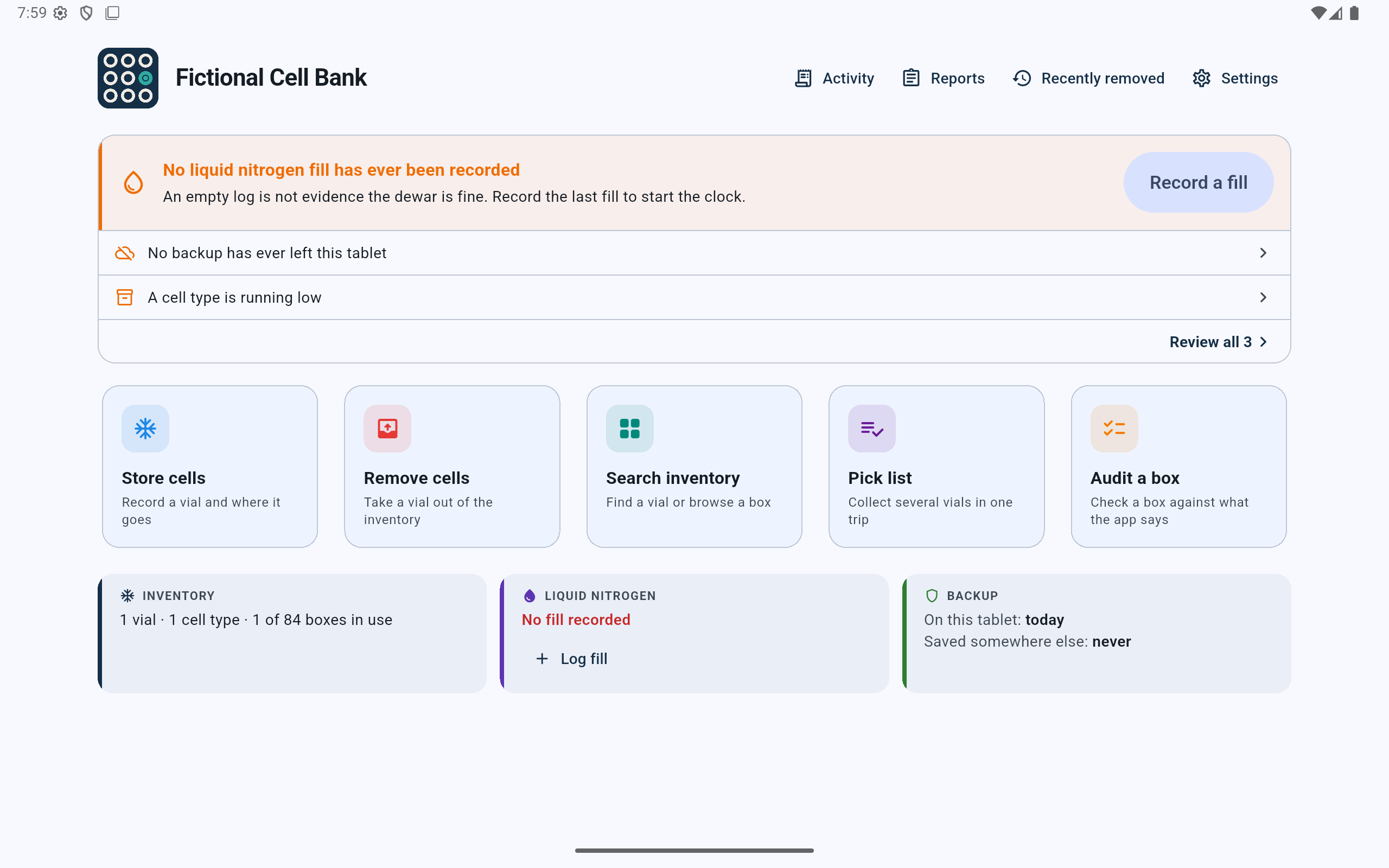
Search inventory is the direct path when the vial, cell line, barcode, donor, or passage is known.
- Select Search inventory before opening the dewar.
- Use Pick list instead when collecting several known vials in one trip.
Search inventory
Use the identifier or filters the lab already has.
- Type or scan a barcode, or enter a complete donor code, in the search field.
- If the exact identifier is unknown, select a cell line and optionally a passage to narrow the list.
- Leave In storage selected when looking for a vial that should still be physically stored.
- Use Removed to investigate a vial that was thawed, discarded, transferred, or otherwise taken out. All records searches both states.
- Use Browse boxes when the physical box is known but the vial identifier is not.
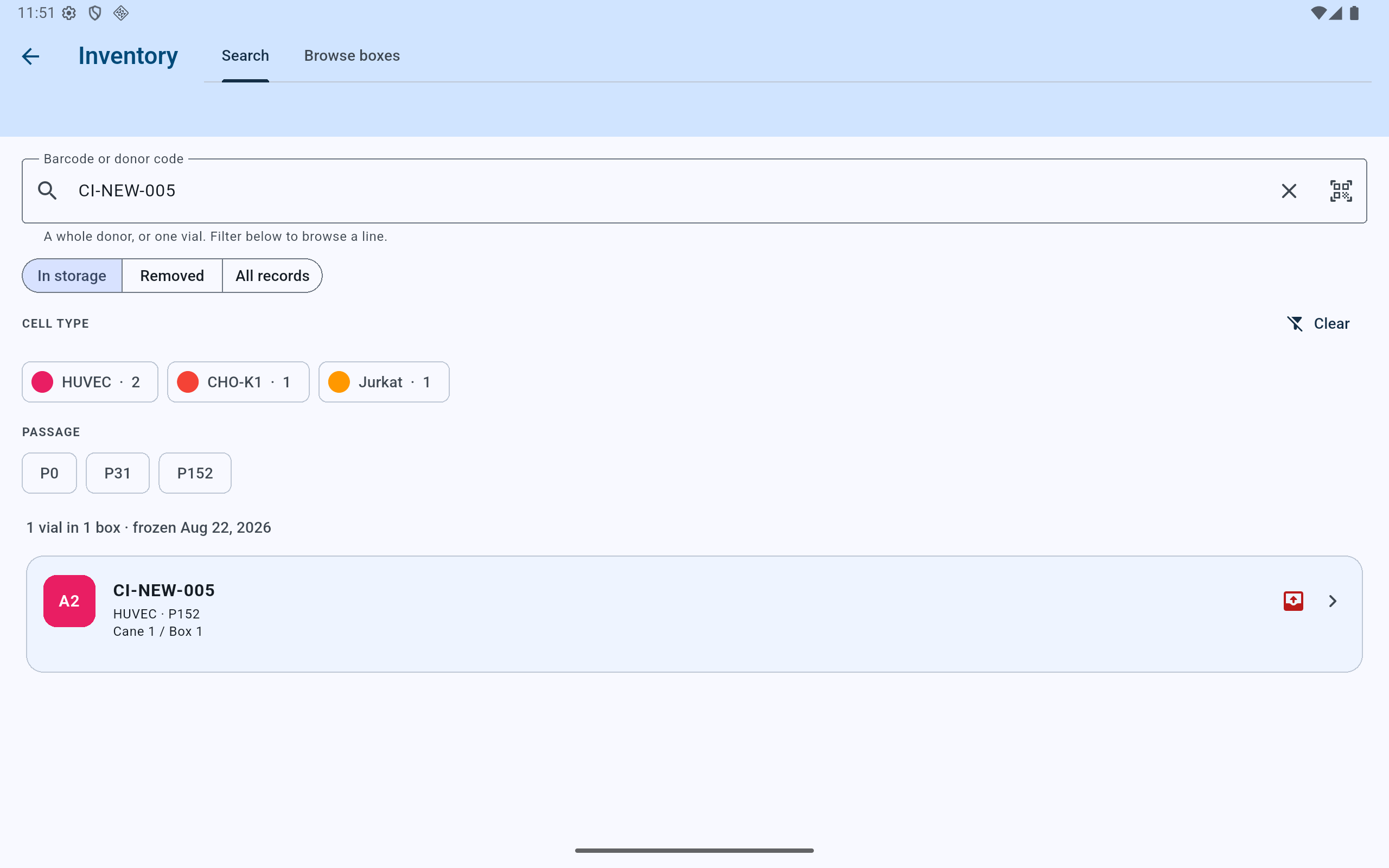
The example uses a precise barcode, but the same page supports cell-line and passage filtering.
- Enter or scan the barcode, or enter the full donor code.
- Choose whether to search current storage, removed vials, or all records.
- Use cell-line and passage chips to narrow a broader search.
- Open the matching record only after its summary and location are plausible.
No barcode is required. CryoIndex supports unbarcoded vials; search by cell line, passage, donor information, or browse the known box.
Before retrieval
Read the whole address, not only the grid position.
A position such as A2 is meaningful only inside its box. Confirm the cane, box, and position. The result also shows the cell line and passage so a location mismatch is easier to catch before retrieval.
The dewar name is omitted because it adds no distinction. Read cane, box, and position.
Open the result
Verify the vial record before acting on it.
Select the result to inspect its full details. Compare the barcode or identifier, cell line, passage, date frozen, and any distinguishing lot, source, or donor information with the vial the lab intends to retrieve.
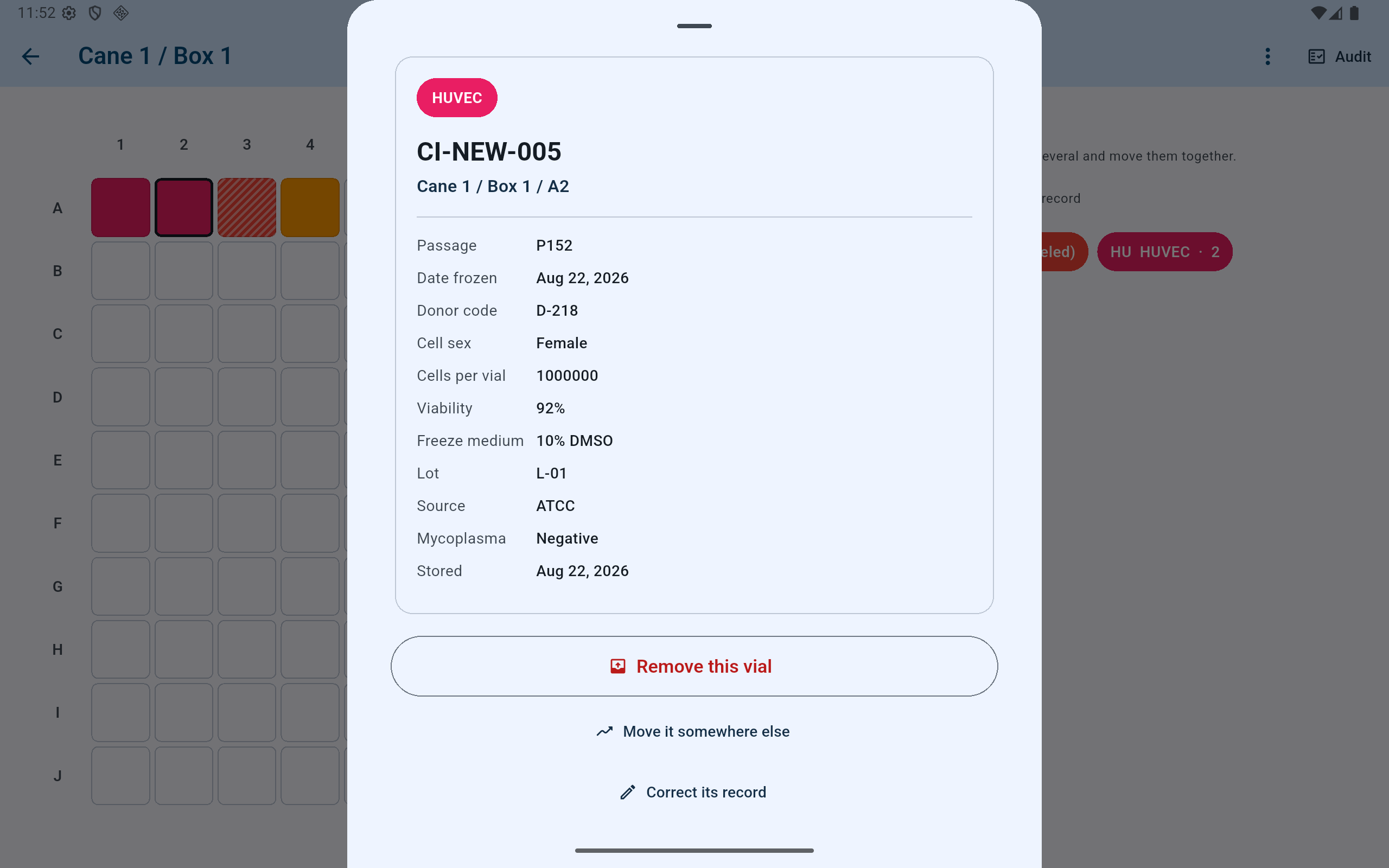
The detail sheet separates an ordinary physical removal from moving the vial or correcting its record, and says where the vial came from.
- Confirm the vial identifier and complete storage address.
- Use passage, date frozen, donor, lot, and other recorded details to verify identity.
- The origin row says where the vial came from. Trace lineage opens the whole chain.
- Use Remove this vial only when it is physically leaving storage.
- Use the separate move or correction action when the physical event is different.
If the position does not match reality
Do not quietly move the record to make it agree.
Return the box to approved cold handling and use Audit a box to reconcile the physical contents position by position. A vial absent from its recorded position is an audit finding, not an ordinary move.
If a scanner changes the identifier, compare the printed barcode with the tablet camera result and review the tested scanner settings. Do not store or remove a record under a value the scanner altered.