Use the PC already in the lab
No dedicated tablet is required. A Windows workstation can be the lab's one authoritative CryoIndex inventory.
Cryovial inventory for Windows
Run CryoIndex as a standalone inventory on the Windows PC already used in the cell-culture room. Import the lab's existing CSV, search before opening the dewar, and keep the working database local.

Free on the Microsoft Store. Windows 10 version 1809 or newer, 64-bit. No account, and the working database stays on the PC.
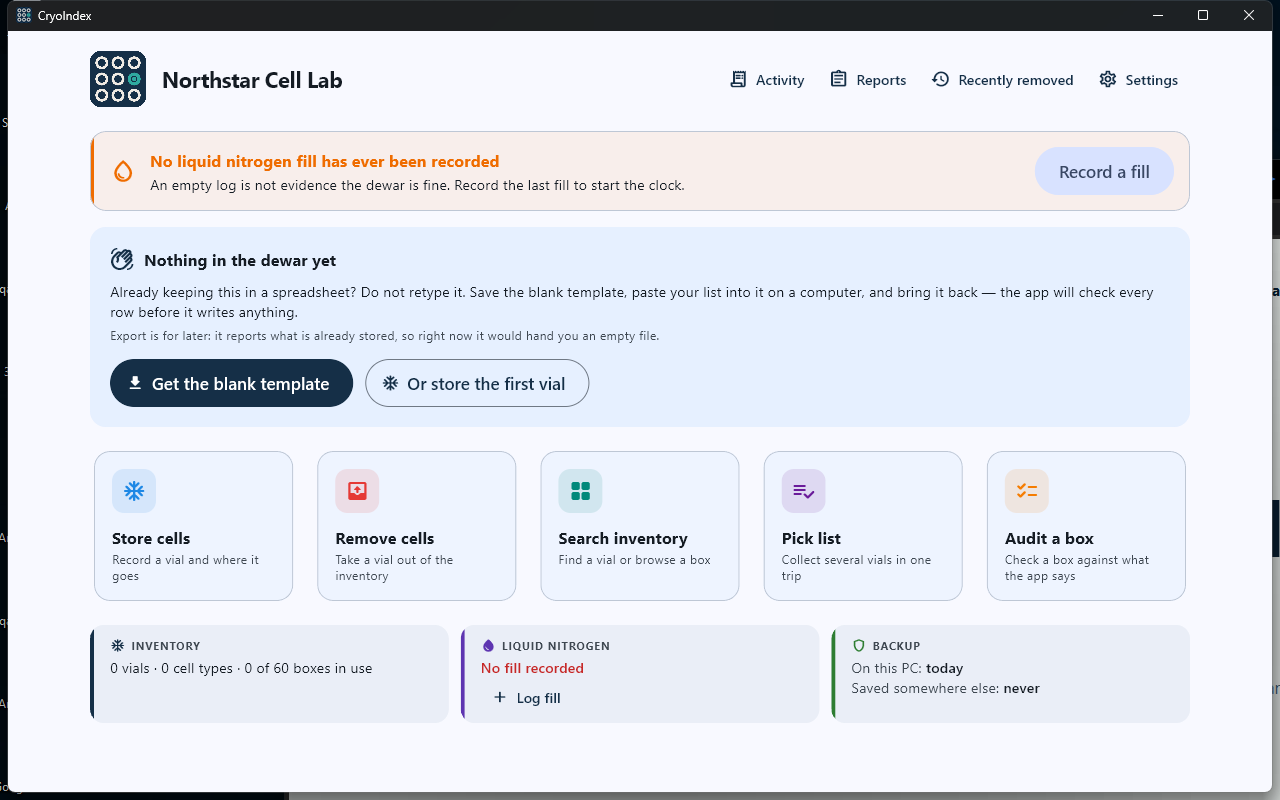
Between a spreadsheet and a LIMS
CryoIndex is deliberately narrower than an enterprise sample-management platform. It focuses on research cell storage in liquid-nitrogen dewars: vial identity, exact location, accountable changes, box audits, fill logs, and recoverable local data.
No dedicated tablet is required. A Windows workstation can be the lab's one authoritative CryoIndex inventory.
Export the Excel inventory as CSV, map the lab's headings, and review every proposed row before CryoIndex writes the approved import.
Type identifiers manually or use a USB or Bluetooth scanner configured to act as an HID keyboard. Scanner configuration still depends on the hardware.
No CryoIndex account or cloud inventory is required. The lab chooses where complete backups are saved.
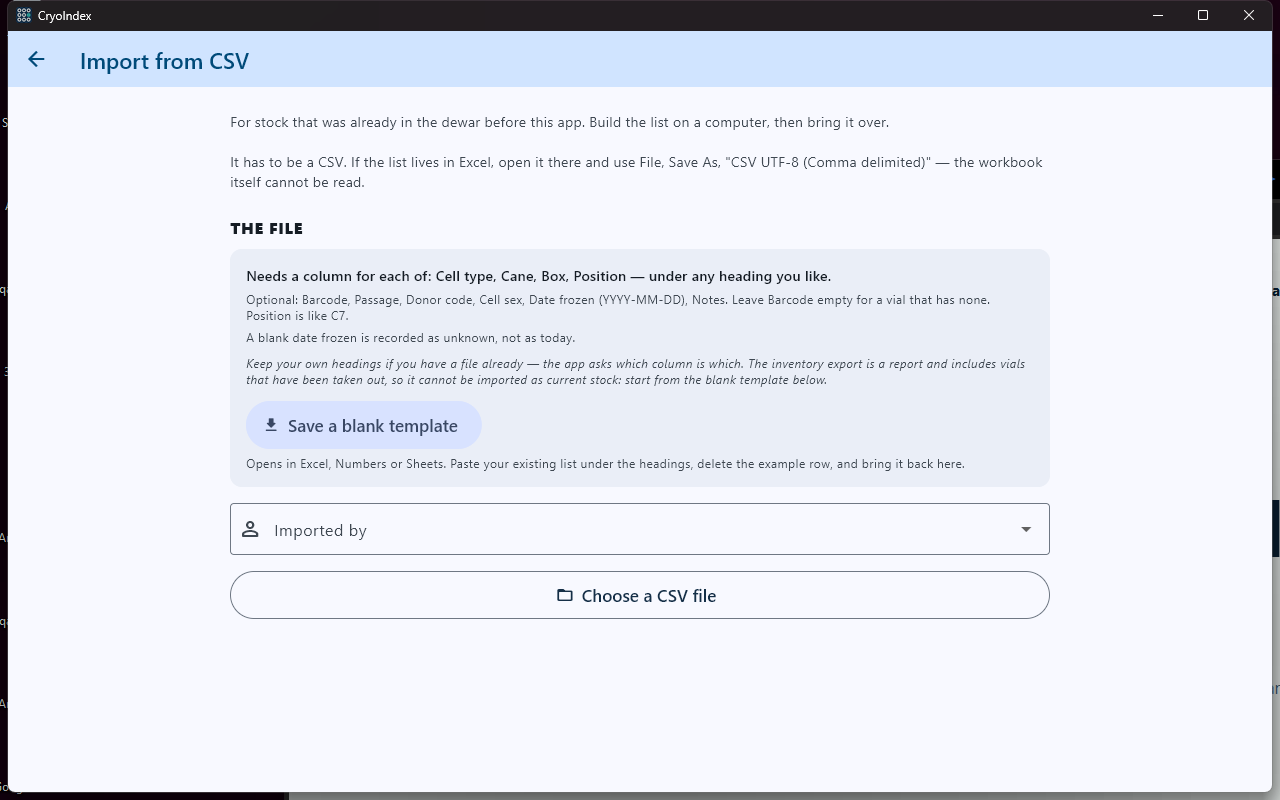
A safer migration path
CryoIndex can propose column mappings and first-setup details, but the lab remains the reviewer. It shows detected cell lines, users, storage labels, ignored columns, and rows it cannot safely place.
One system of record
Either edition can run the lab. A verified backup can move the complete inventory between supported platforms, but restoring replaces the destination database. CryoIndex does not merge independently edited copies or synchronize them in real time.
See the real workflow
The browser demo opens a complete fictional lab in the real CryoIndex interface. No account or upload is required, and changes disappear when the tab closes.