Shared-tablet design
People are attribution choices, not login accounts.
CryoIndex does not require each lab member to sign in. The operator chooses their name when recording work, so the list should contain the people who actually use the shared tablet.
Settings → Lab
Use a short identity that remains clear on reports.
- Enter the laboratory or facility name in Name. Leaving it blank displays CryoIndex.
- Use Second line for a department, program, building, or other short qualifier.
- Return to the dashboard and verify that both lines identify the intended lab.
- Generate a report preview later to confirm that the same identity reads well on exported documents.
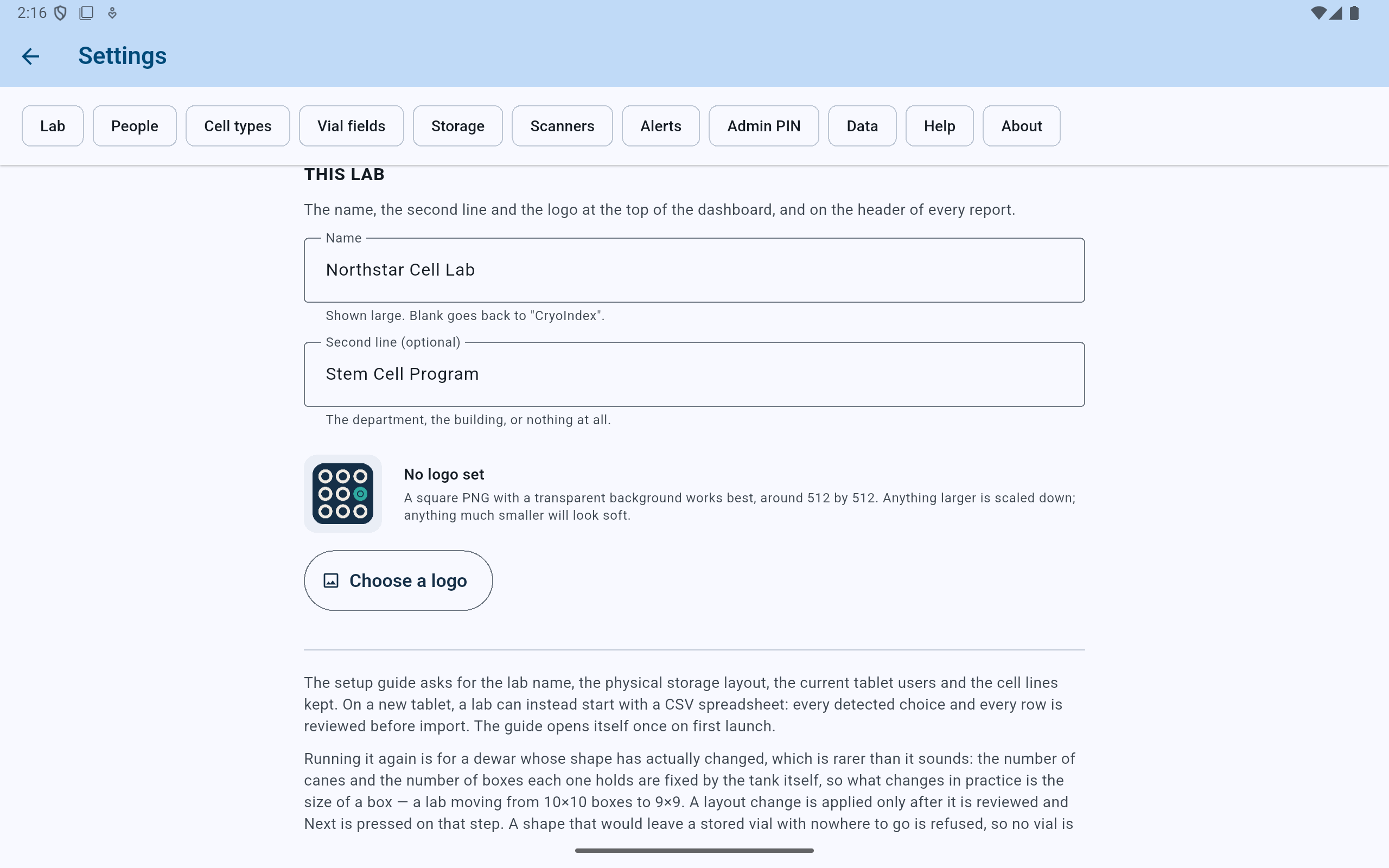
Lab identity changes are saved as they are entered and appear on the dashboard and report headers.
- Set the main name used across the app.
- Add an optional organizational second line.
- The logo area shows whether a custom mark is currently stored.
- Choose or replace the logo file here.
Optional lab branding
Use a simple square image with enough resolution.
Select Choose a logo and open the lab's PNG, JPG, JPEG, or WebP file. A square image around 512×512 works best; CryoIndex scales down oversized images before storing them in the lab database and its backups.
Verify the result at small size. Fine text and complex seals may become unreadable in the dashboard header. The CryoIndex mark remains the fallback when no custom logo is set.
Settings → People
Keep current operators active and prior work understandable.
Active people appear in operator dropdowns. Turning someone off hides them from new actions while keeping their name on everything they previously recorded.
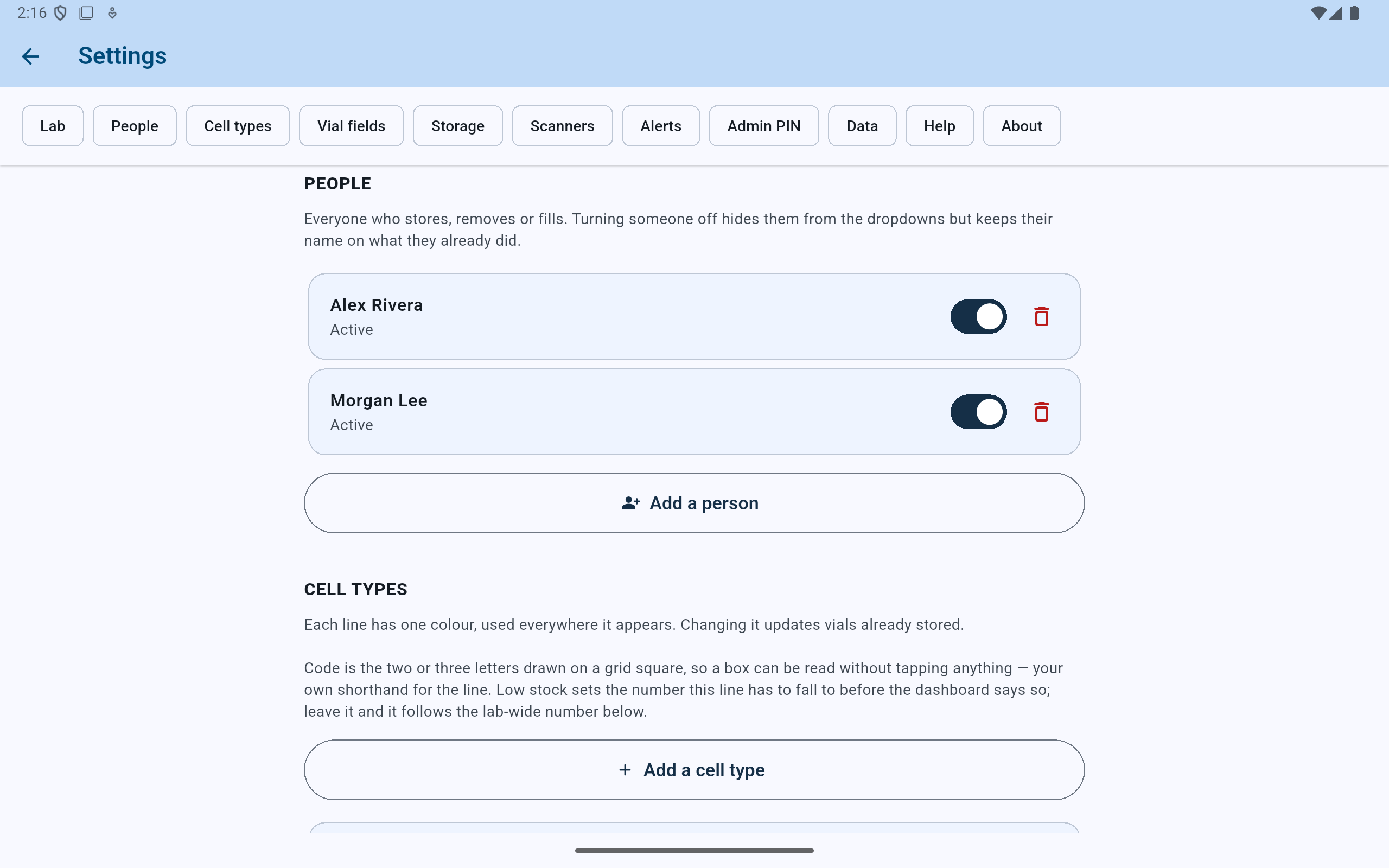
The switch is the normal choice when someone leaves the lab: new work cannot be assigned to them, but their history remains attributed.
- Review the names used for action attribution.
- Turn a person off without rewriting prior activity.
- Treat Delete as a separate, consequential action.
- Add a current operator here.
Add a current operator
Enter the name the lab will recognize later.
- Select Add a person.
- Enter a clear name or institution-approved identifier.
- Select Add, then confirm that the new person is active in the list.
- Use that person's entry on the next real action they perform; do not create a test activity merely to check the dropdown.
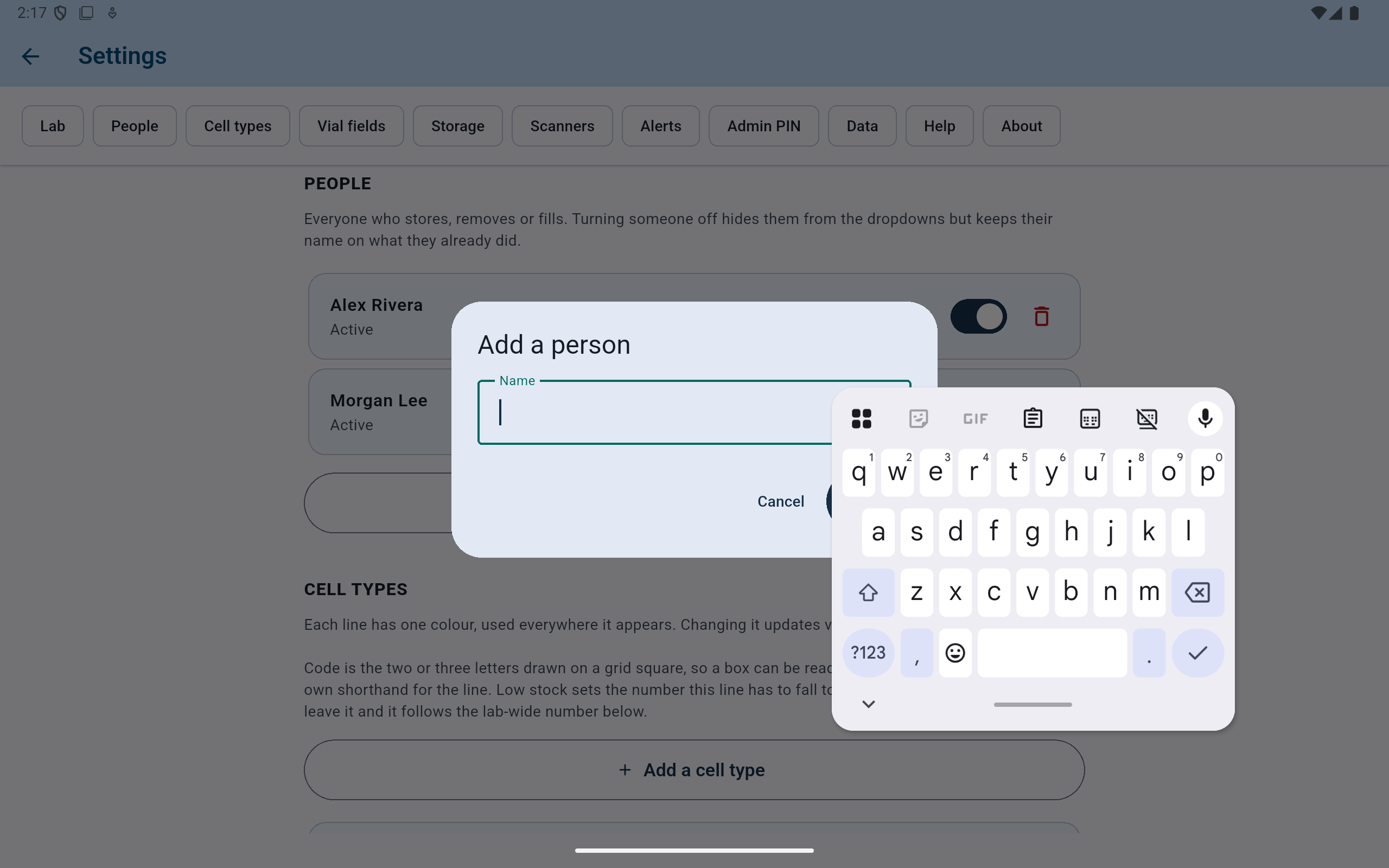
Adding a person does not create an account, password, or network identity. It creates an attribution choice stored with the lab.
- Enter one recognizable operator name.
- Cancel leaves the People list unchanged.
- Add creates the active attribution choice.
When someone leaves
Turn them off unless the lab deliberately accepts losing their name.
Hides the person from new operator choices and preserves their name on every existing record.
Keeps the records themselves but changes that person's attribution to “unknown.” CryoIndex shows the affected record count before confirmation.