Identity first
Put back means the same physical vial.
Do not use it to represent a replacement vial, another aliquot, or cells that were thawed and later refrozen. Those are new physical specimens and require the lab's own approved workflow and, when appropriate, a new record.
Removal context
Record a temporary removal only when that description is true.
The optional disposition helps explain why a vial left storage. It does not make an unsafe return acceptable and it does not reserve the position against other inventory.
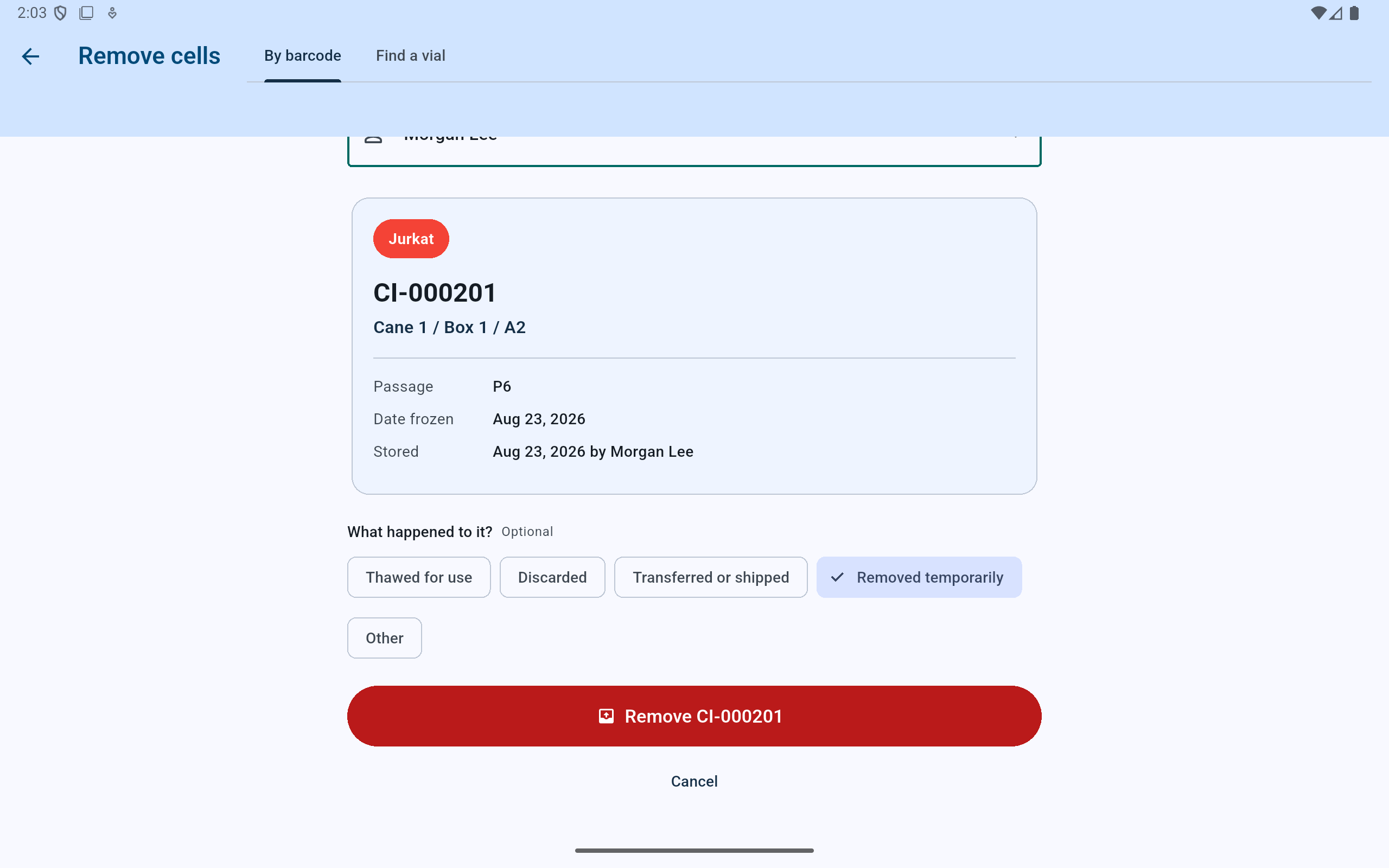
This fictional vial is removed by its physical barcode, with the operator and temporary disposition stated before the write.
- Verify the vial and former address.
- Record who performed the physical removal.
- Use Removed temporarily only when the intact vial is genuinely expected to return.
- Commit the removal after the record matches reality.
Dashboard → Recently removed
Review the original position before acting.
Each row names the vial, cell type, former address, date, and recorded remover. Before selecting Put back, confirm that the physical vial is the same one and the original position has not been reused.
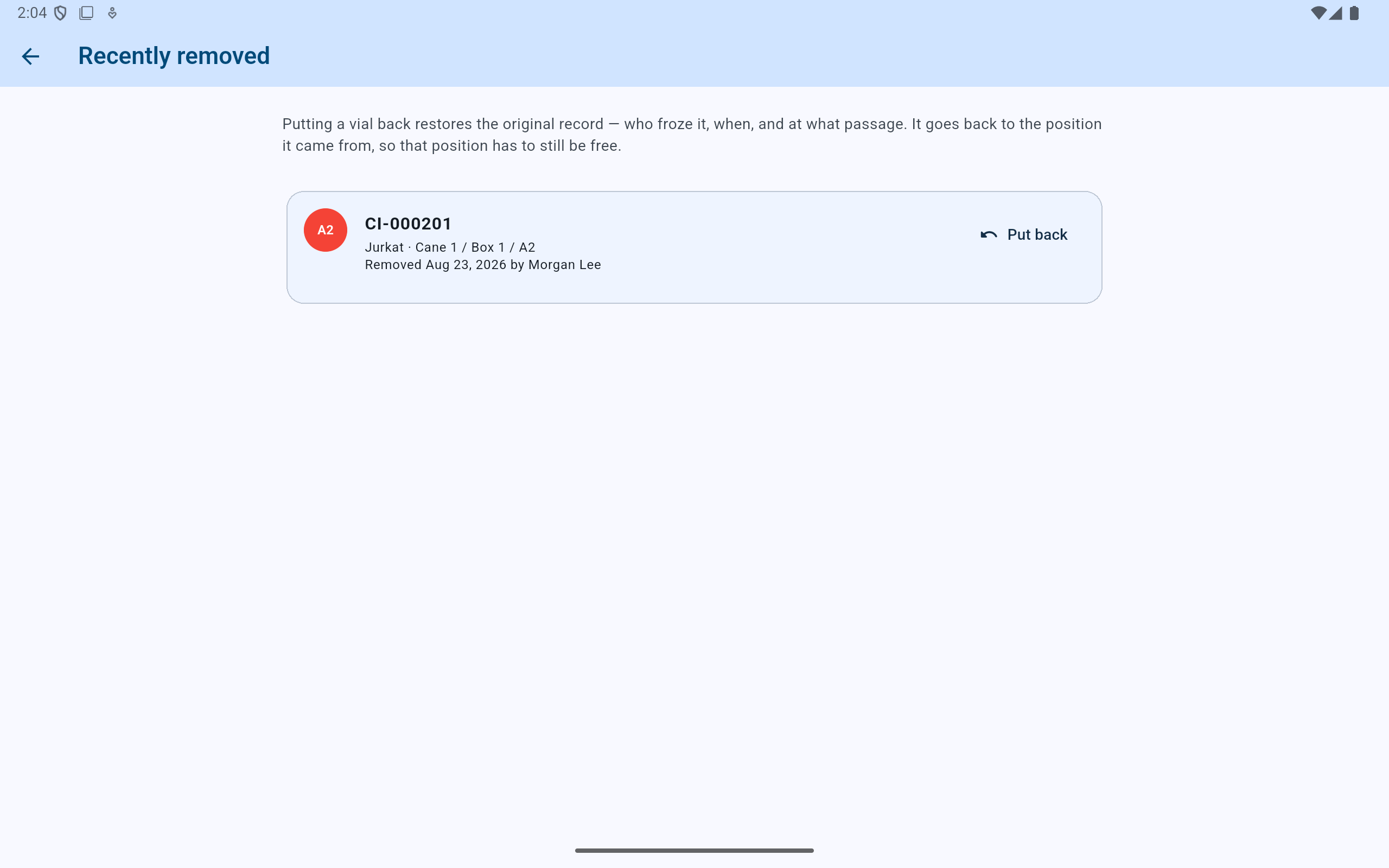
CryoIndex restores the original record and original position; it does not ask the user to recreate its biological metadata.
- Read the explanation of what put-back preserves.
- Match the physical identifier and former address.
- Verify who removed it and when.
- Choose Put back only after those checks.
Put back
Read the restored address.
If this is an ordinary recent removal and the original location is active and free, CryoIndex restores the vial and confirms the identifier and address. If a box audit marked the vial missing, Put back first opens the required Who found it? dialog. Select the person who physically found it; that name closes the outstanding finding in the activity and report record. Cancelling that dialog leaves the vial removed.
If the location is occupied or no longer part of storage, stop and reconcile the physical inventory rather than moving another record to force the action through.
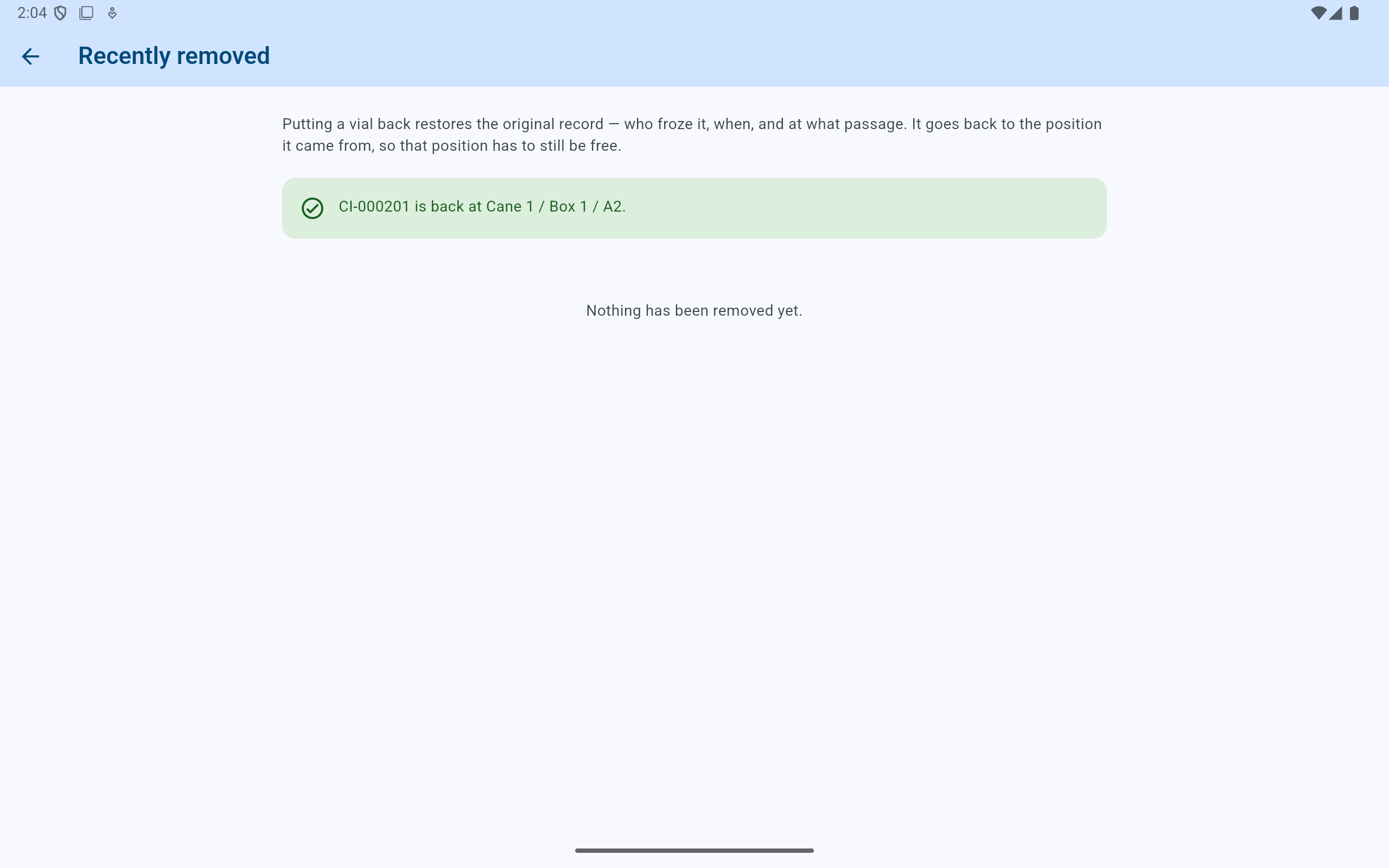
The fictional vial is back at A2 with its original history, and the recent-removal list is now empty.
- Verify the identifier and restored address in the confirmation.
- The empty state confirms that no recent removal still awaits review.