Do not correct around uncertainty
Missing is not a quiet deletion or a normal removal.
Use it when the database expects a vial but an audit cannot find it. Do not move the record to an empty position, strike it out, or mark it removed merely to make the box appear consistent.
Audit a box
Check every expected vial, then review the missing count.
Select Missing only after looking at the stated physical position and verifying that the vial is not merely shifted elsewhere in the box. Identify the auditor before recording the finding.
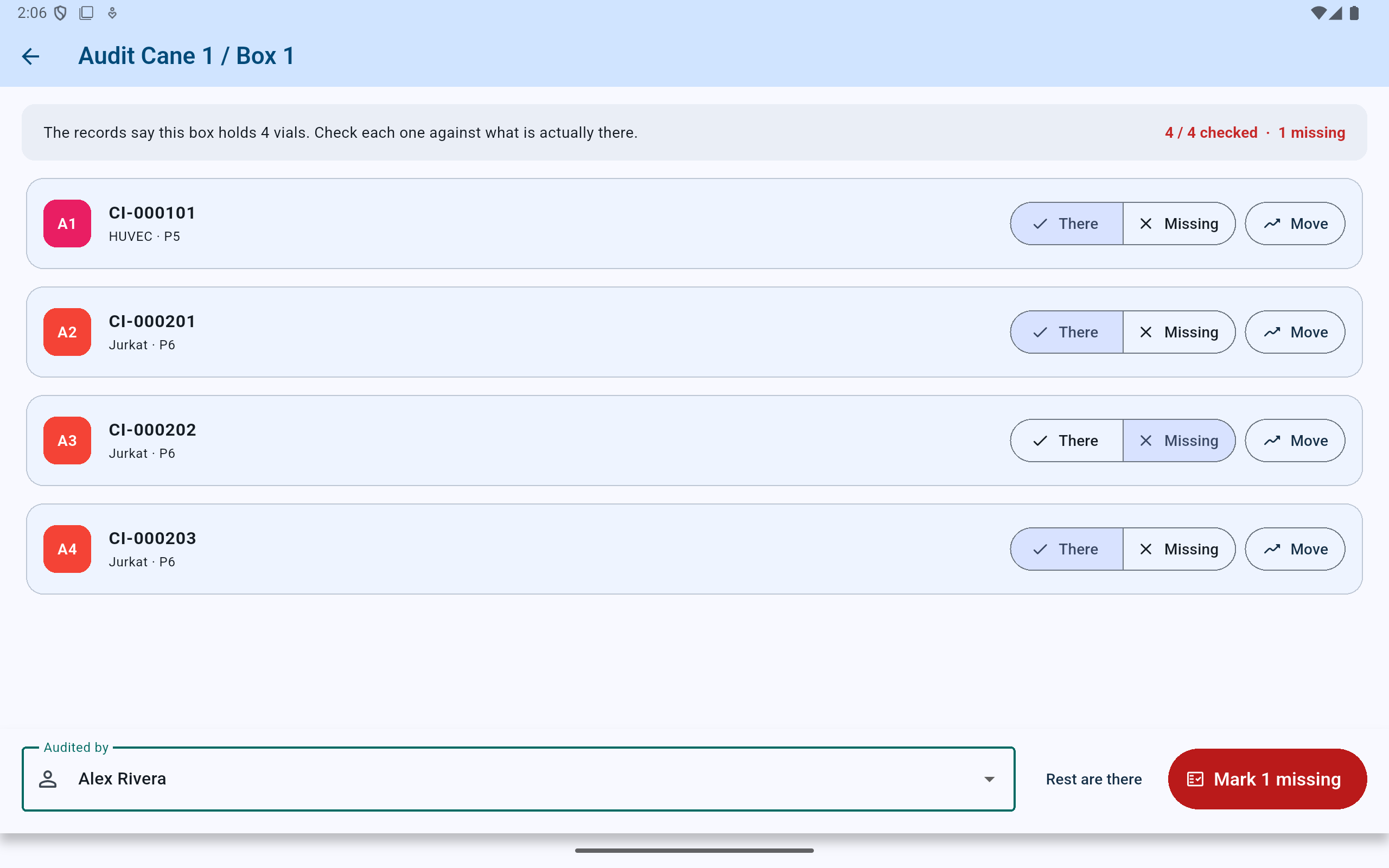
The review state separates the one missing vial from the three confirmed present vials before any finding is written.
- Confirm the checked and missing totals.
- Recheck the exact position and identifier marked Missing.
- Record the person who performed the physical audit.
- Commit the one missing finding only after reviewing every row.
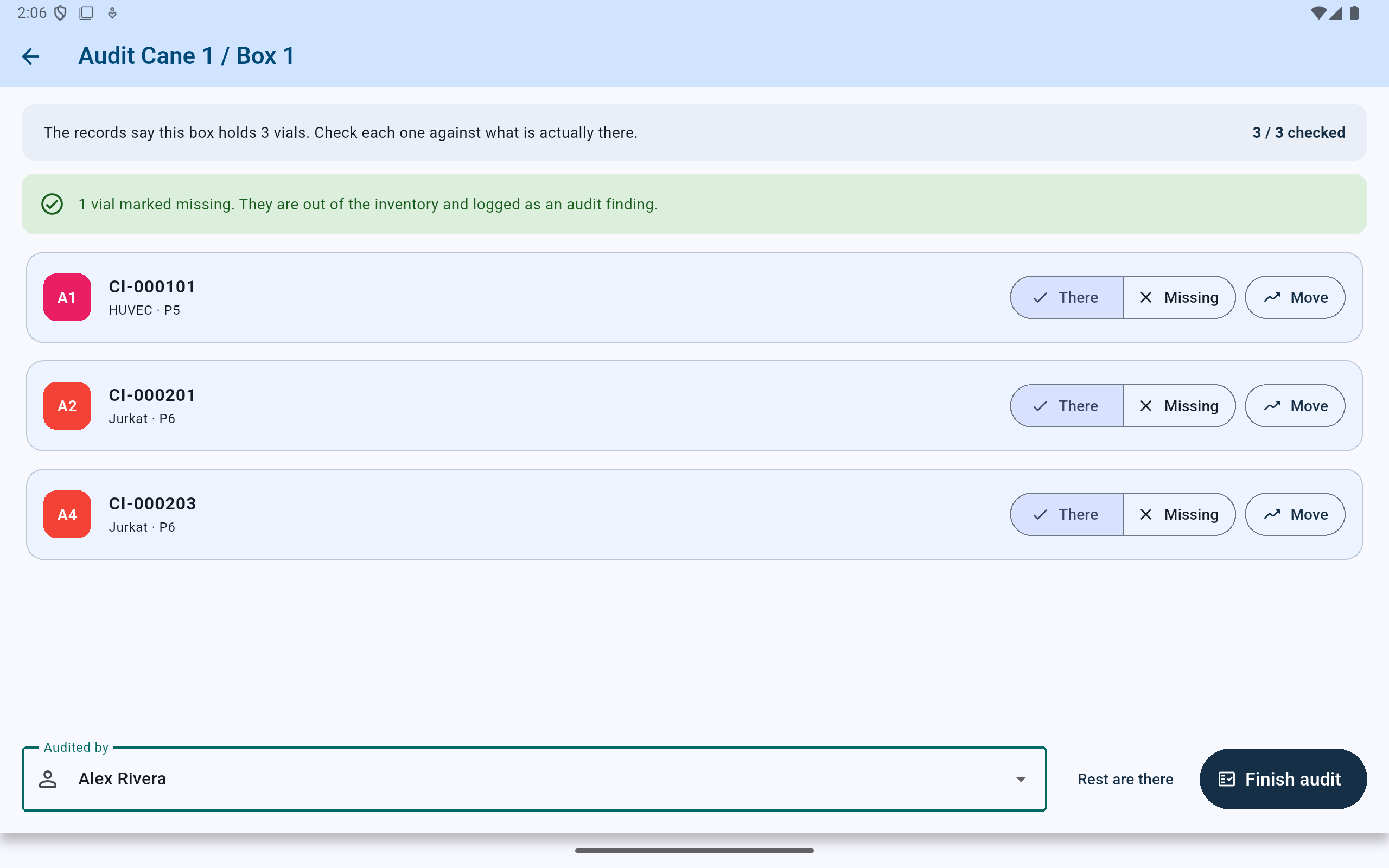
The missing vial no longer counts as available stock, but its identity and last recorded location remain in the finding.
- Read the explicit result: one vial is missing and logged.
- Only the three vials found in the box remain in the active list.
Persistent dashboard attention
Do not let the finding disappear into a report.
The dashboard leads with the number of unaccounted-for vials and explains why they remain open. Choose See what is open to investigate or resolve them.
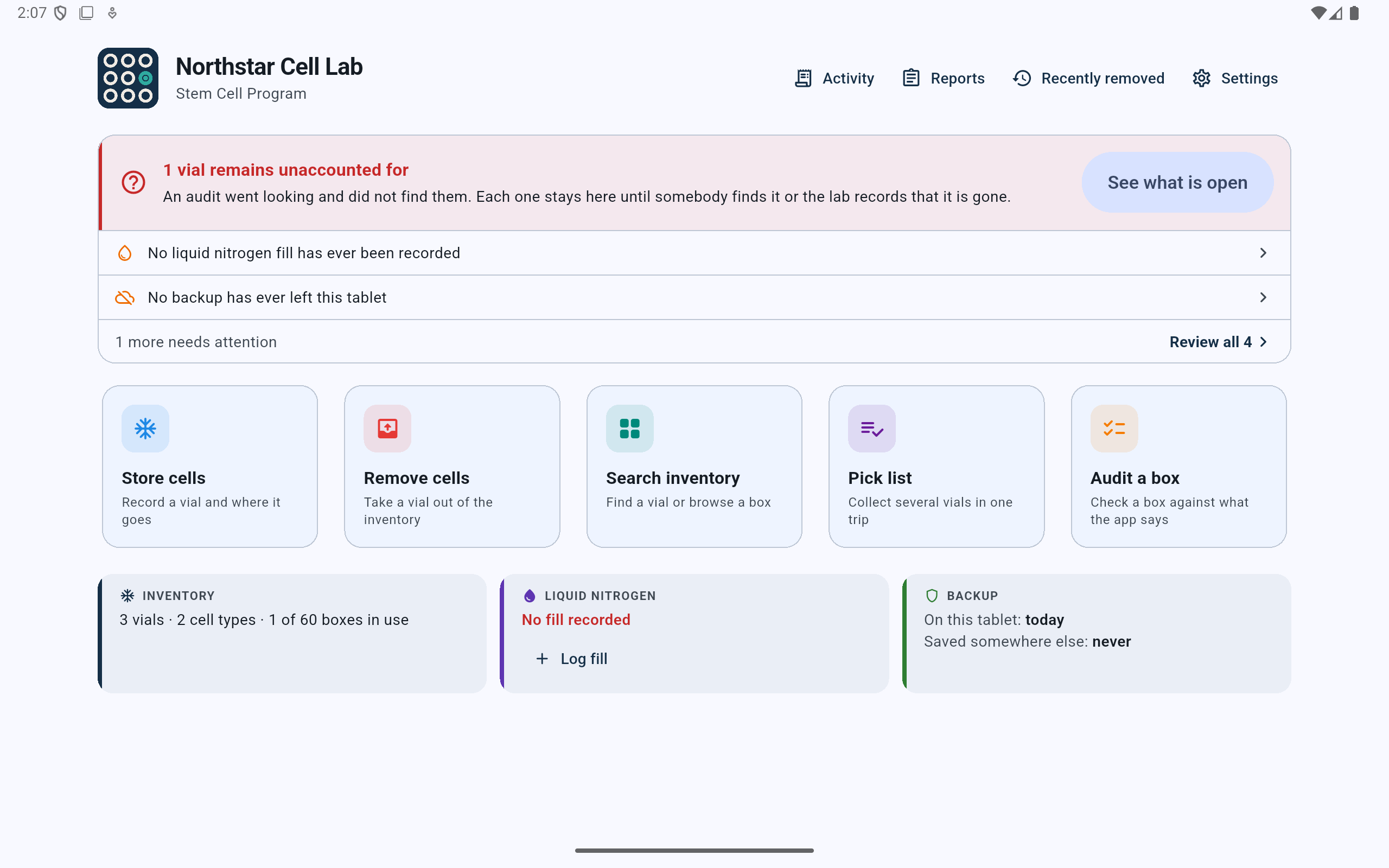
The count stays at the top of the working dashboard until every missing finding has an honest resolution.
- The unresolved count is the lead attention item.
- Open the finding rather than working around it.
- Active inventory decreases while the vial is missing.
Outstanding items
Verify the last place the audit looked.
The finding states the identifier, cell type and passage, last recorded position, audit date, and auditor. Use that information with the physical box and the lab's other records before choosing either resolution.
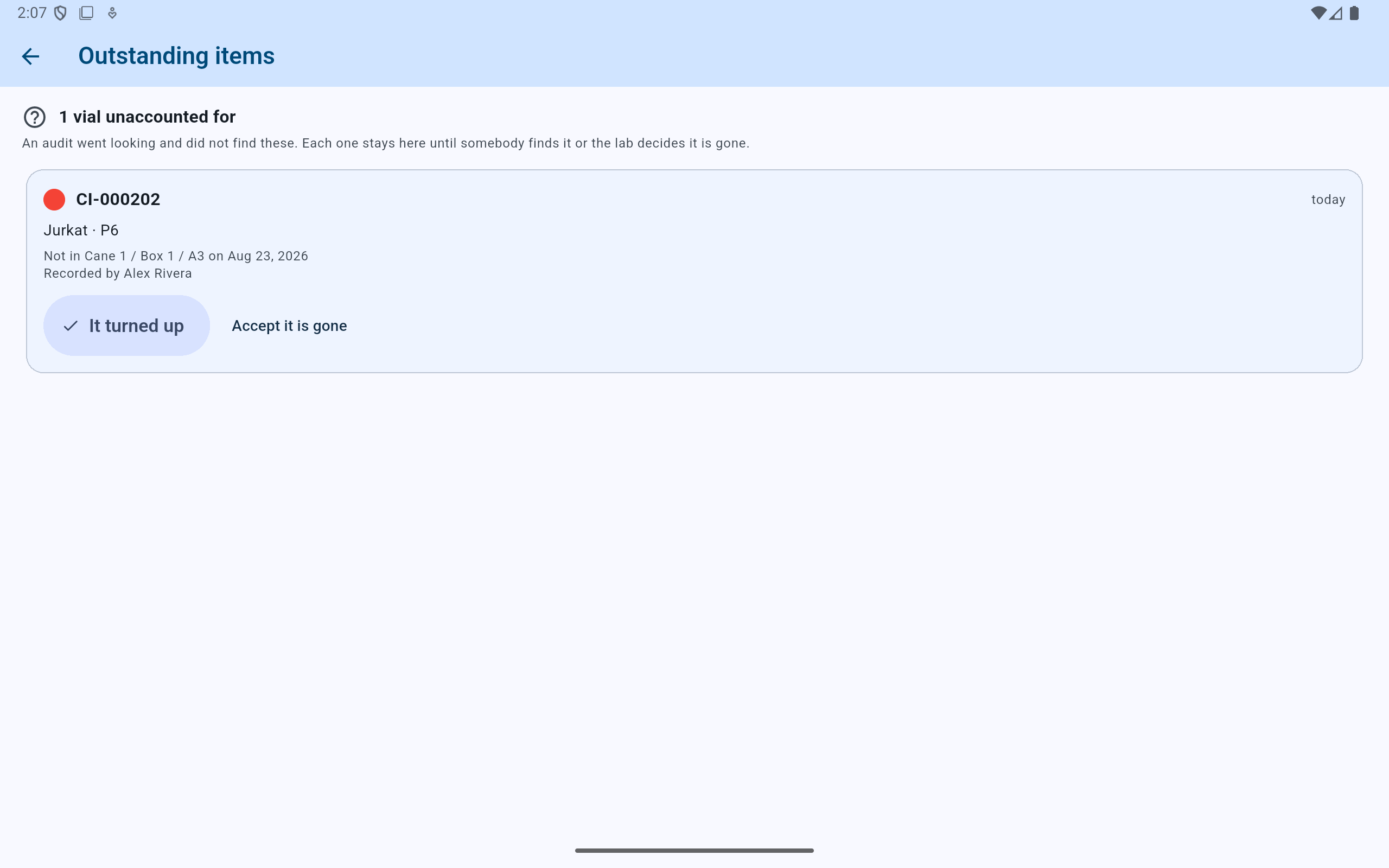
Both resolution choices close the open finding, but they record different physical conclusions.
- Match the vial identity and biological context.
- Read where and when the audit failed to find it.
- Use It turned up only for the same physical vial.
- Use Accept it is gone for the lab's final write-off decision.
It turned up
Attribute the find and restore the original position.
Choose the person who physically identified the vial. Put it back restores the original record only when its recorded location is still active and free. If it was found somewhere else, reconcile that physical location rather than falsely restoring A3.
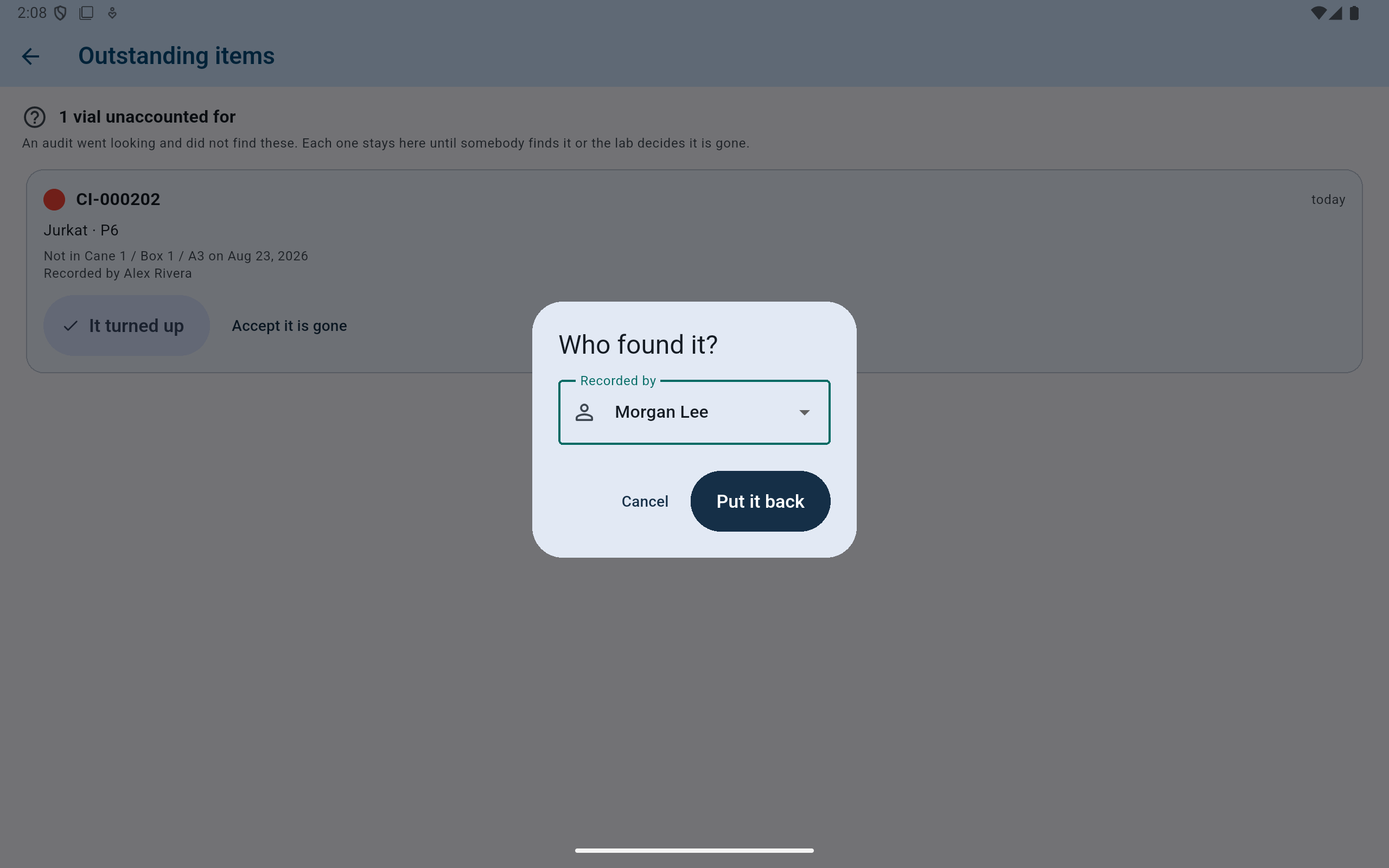
Attribution is required before CryoIndex records that the vial was found again.
- Choose the person who verified the physical vial.
- Put it back only when the original physical position is correct and free.
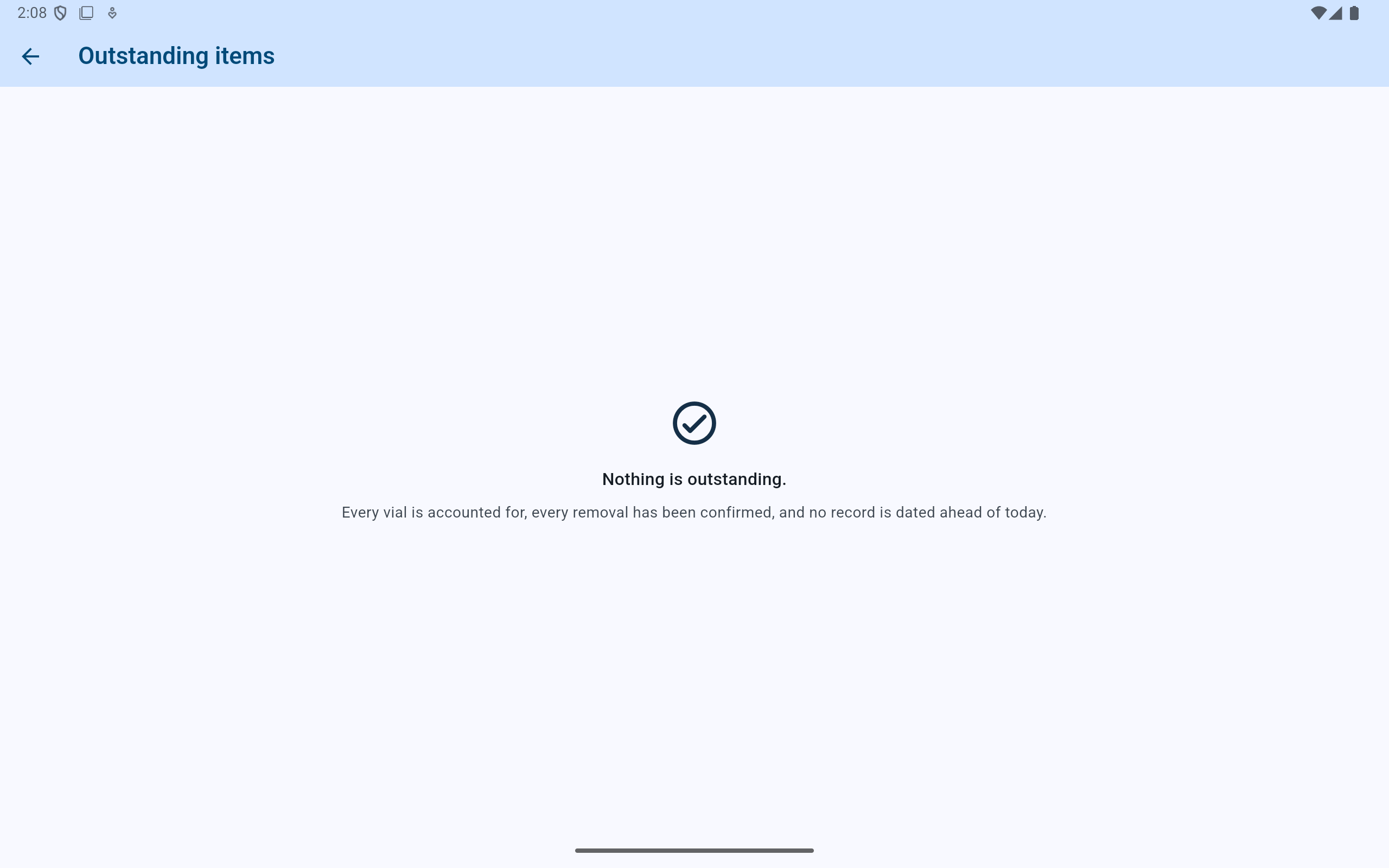
The missing finding is closed and the original vial is active in inventory again; its missing and found events remain in history.
- Confirm that no finding remains outstanding.
- The empty-state text also checks removal confirmation and future-dated records.
Accept it is gone
Record the conclusion the lab actually reached.
Use this only after the lab's search and review process concludes that the vial is gone. It closes the finding as a write-off; it must not be used merely to clear the dashboard. If the vial later appears, consult the activity record and the lab's SOP before deciding how its physical condition and inventory record should be handled.