Watch the walkthrough
Record and trace cell lineage
Captions are available in the player and start turned off so they do not cover the app. The written transcript is below the video.
Read the video transcript
Lineage answers one question: which vial did these cells come from. Find any vial the usual way — this one is CI-005.
Cane 1, Box 1, position A3.
Every vial card says where it came from. This one was frozen down from another vial, and Trace lineage opens the chain.
CI-001 is where the line entered this lab, and it has already been thawed. That breaks nothing: lineage is recorded against the vial's own record, not against its barcode.
Three things are shown: what it came from, what shares its parent, and everything made from it.
One sibling, still in storage — CI-006, frozen down from the same parent.
And one daughter, CI-011, at passage six. A chain can be walked in either direction, which is what makes it useful when a result has to be traced back to the cells that produced it.
A barcode can be reused once a vial is thawed. The record it named cannot, so the chain survives.
Narration uses an AI-generated voice.
Record it while it is knowable
No later test can identify the exact vial these cells came from.
A barcode, position, or passage can be checked or corrected later. The exact parent vial cannot be reconstructed from the daughter, so CryoIndex asks before the storage record is written.
Store cells · Second section
Answer Origin before the biological details.
Use when the cells were frozen down from a vial already recorded in CryoIndex.
Use for purchased stock, a gift, or a primary isolation. Record the supplier or other provenance under Source when known.
Use when the exact answer genuinely is not known. CryoIndex keeps uncertainty explicit instead of inventing an original or a parent.
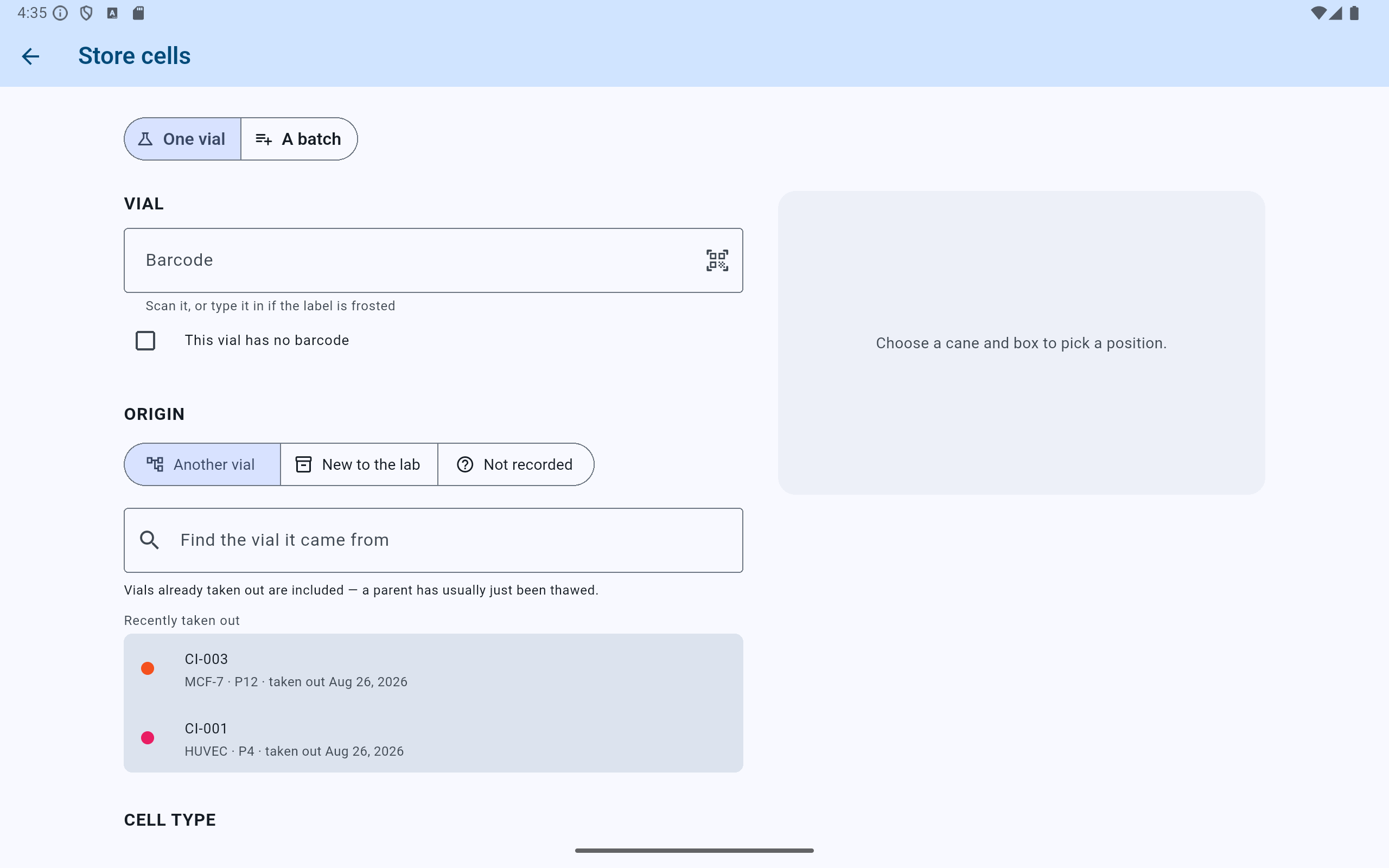
Origin sits above the biological details, because the answer stops being knowable once the vial is in the box.
- Answer Origin first. It is asked before cell type, passage, or position.
- Not recorded is a real answer. Use it rather than assigning a plausible stranger.
- Search the parent by barcode, cell line, or donor. Removed records are searched too.
- Recently taken out is listed first, because a parent has usually just been thawed.
Single-vial storage asks Origin again after every save while the other reusable fields remain filled. That reset is deliberate: two consecutive vials may look alike without sharing a parent. Batch storage asks once because every vial in that batch comes from the same freeze-down.
Another vial
Select the record, not merely the printed label.
- Search for the exact parent. Current and removed records are included because a parent is commonly thawed before its daughters are stored.
- Check the cell line, passage, freeze date, former position, and history before selecting the record.
- If the cells became a different line through differentiation, transduction, immortalisation, or subcloning, select Differentiated or modified into a different line.
- If the exact record cannot be distinguished—particularly after barcode reuse—choose Not recorded rather than assigning a plausible stranger.
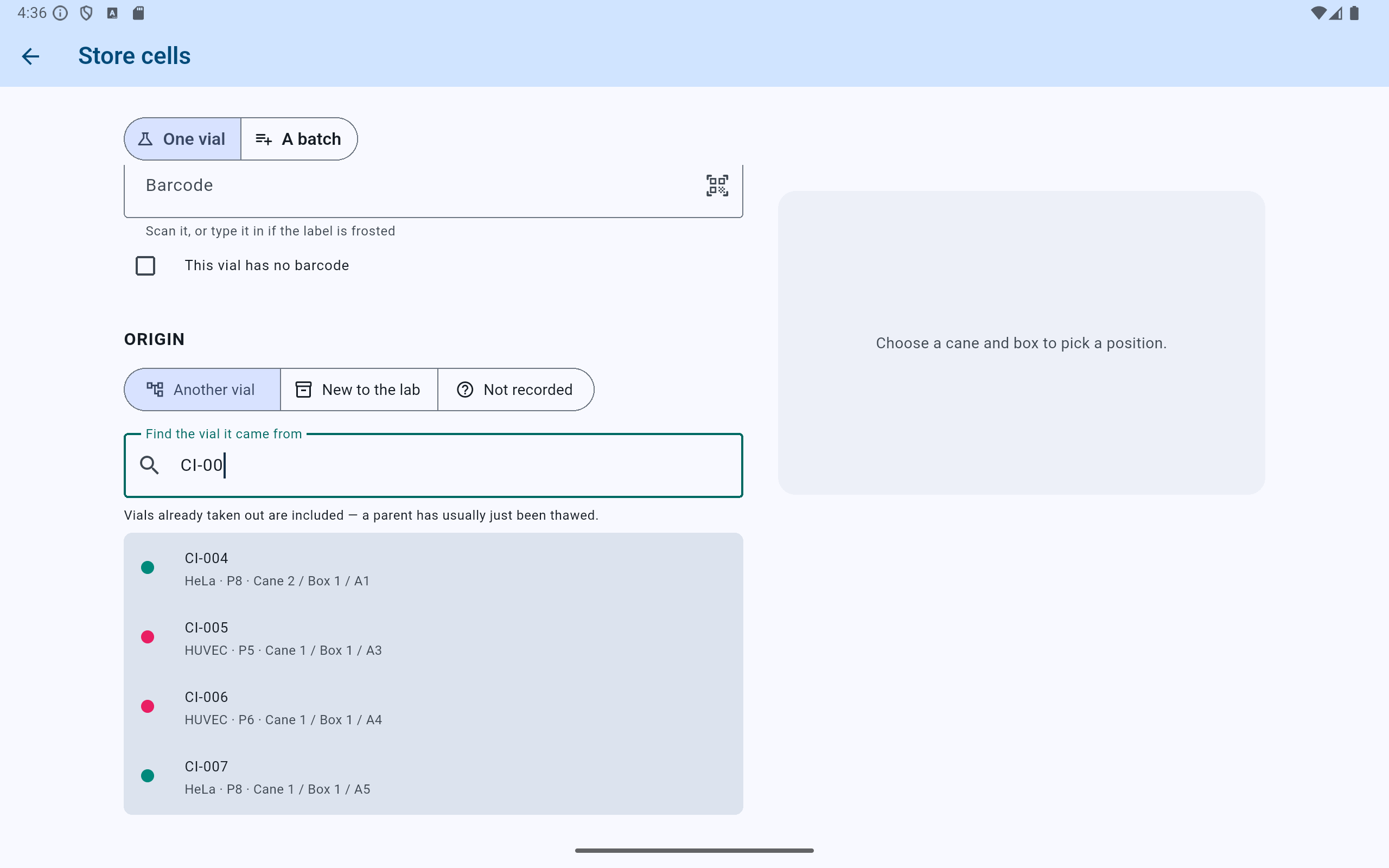
Every candidate is shown with the details that tell two similar vials apart.
- Type or scan enough of the label to narrow the list.
- Vials already taken out stay in the results, so a thawed parent can still be selected.
- Read the cell line, passage, and position on each row before choosing. Two vials can wear similar labels.
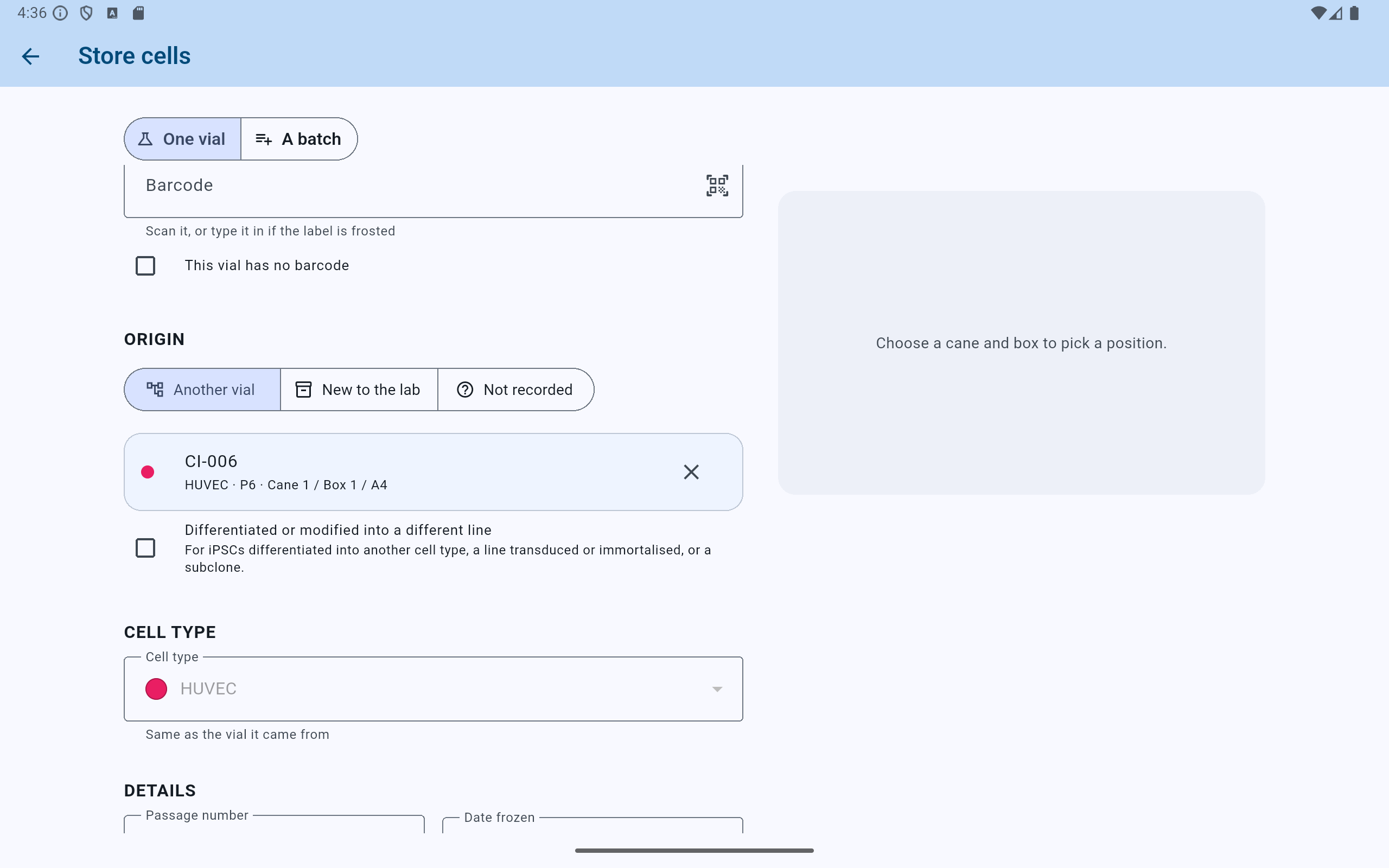
Choosing a parent settles the daughter's cell line, unless the cells became a different line.
- The chosen record, not the label. Clear it with the × if the wrong one was selected.
- Tick Differentiated or modified for iPSCs differentiated, a line transduced, or a subclone. It lifts the line and passage checks.
- Cell type follows the parent for ordinary banking, and says so.
Relationship checks
CryoIndex refuses relationships that could not have happened.
- Same-line banking requires the daughter and parent to use the same cell line.
- The daughter's readable passage cannot be earlier than the parent's. Equal passage is allowed.
- The daughter cannot have been frozen before the parent. The same calendar day is allowed.
- Differentiated or modified cells are exempt from the same-line and passage rules, but the parent must still exist before the daughter.
- An unreadable or missing passage or freeze date is left unjudged rather than guessed.
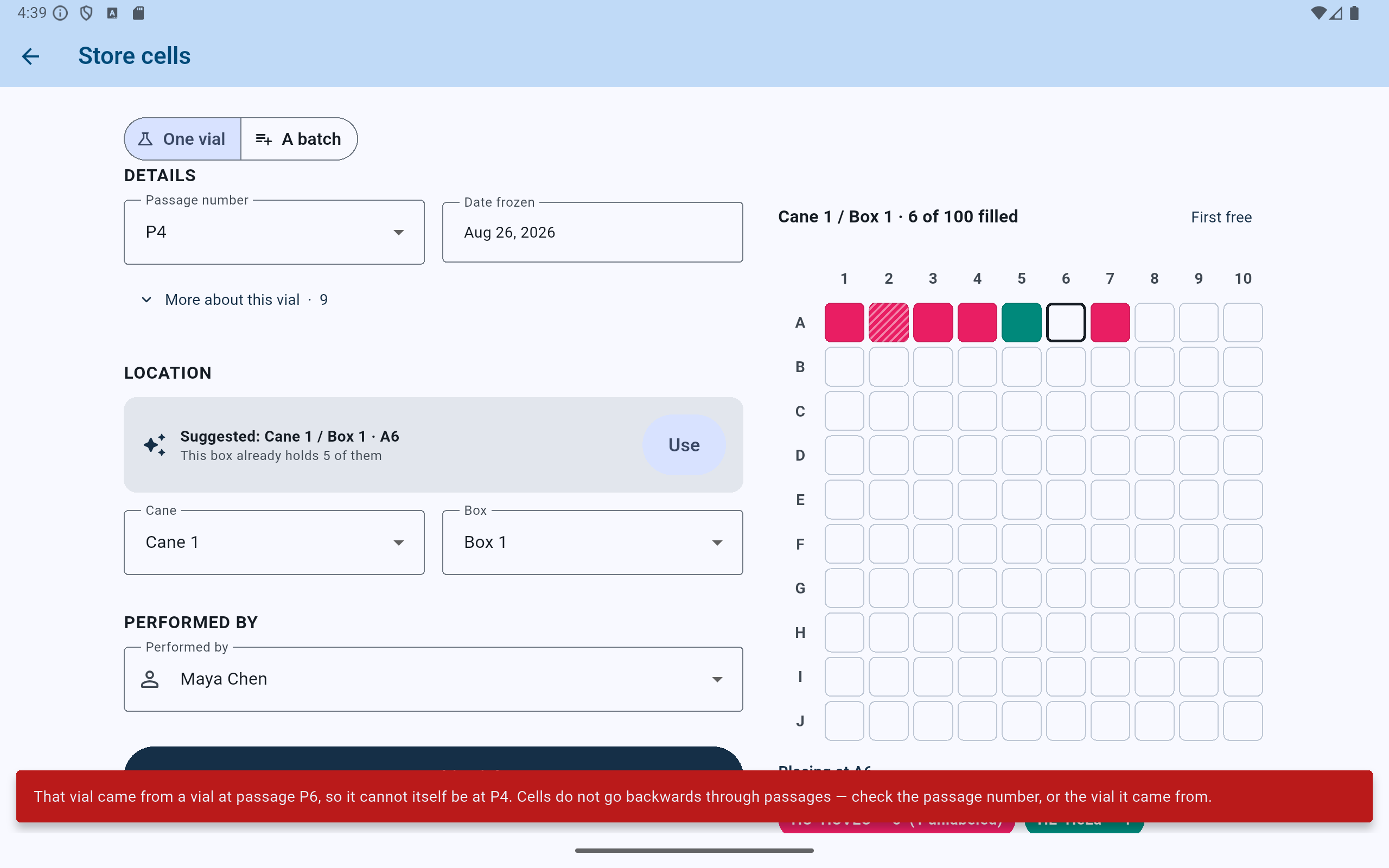
A refusal names both numbers and which of the two to change. Nothing is stored.
- The passage that caused it, left as entered so it can be corrected rather than retyped.
- The refusal says what the record would have claimed, and offers both ways out — the passage, or the parent.
Corrections are checked in both directions. Changing a daughter must remain compatible with its parent, and changing a parent must not make an existing daughter impossible. Do not erase a known relationship merely to bypass a refusal.
Investigate from a vial
Open Trace lineage from the vial details.
- Find the affected vial by barcode, cell line, box and position, or another identifying field, then open its details.
- Select Trace lineage.
- Read Where it came from to follow its ancestor chain toward the original or unrecorded root.
- Open Related from the same parent to identify sibling vials from the same freeze-down and see which remain in storage.
- Open Descendants to review every later vial recorded below this one.
- Open any relevant vial to review its biological fields, lab-named fields, storage and removal attribution, and complete activity history.
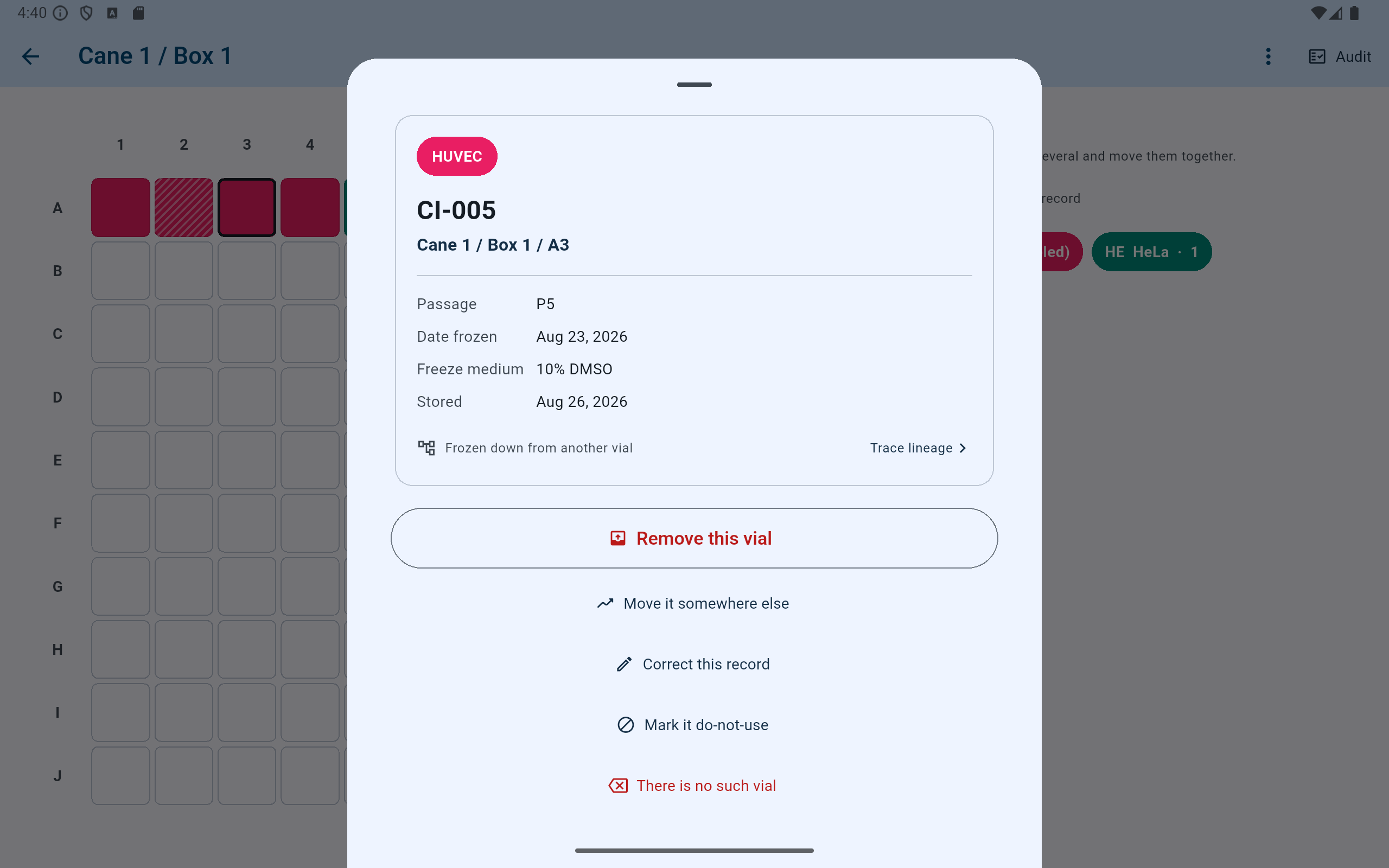
Every vial sheet says where the cells came from, whether or not anybody goes further.
- Confirm the identifier and the exact address before reading anything into the record.
- The origin row states the answer given when the vial was stored.
- Trace lineage opens the chain in both directions.
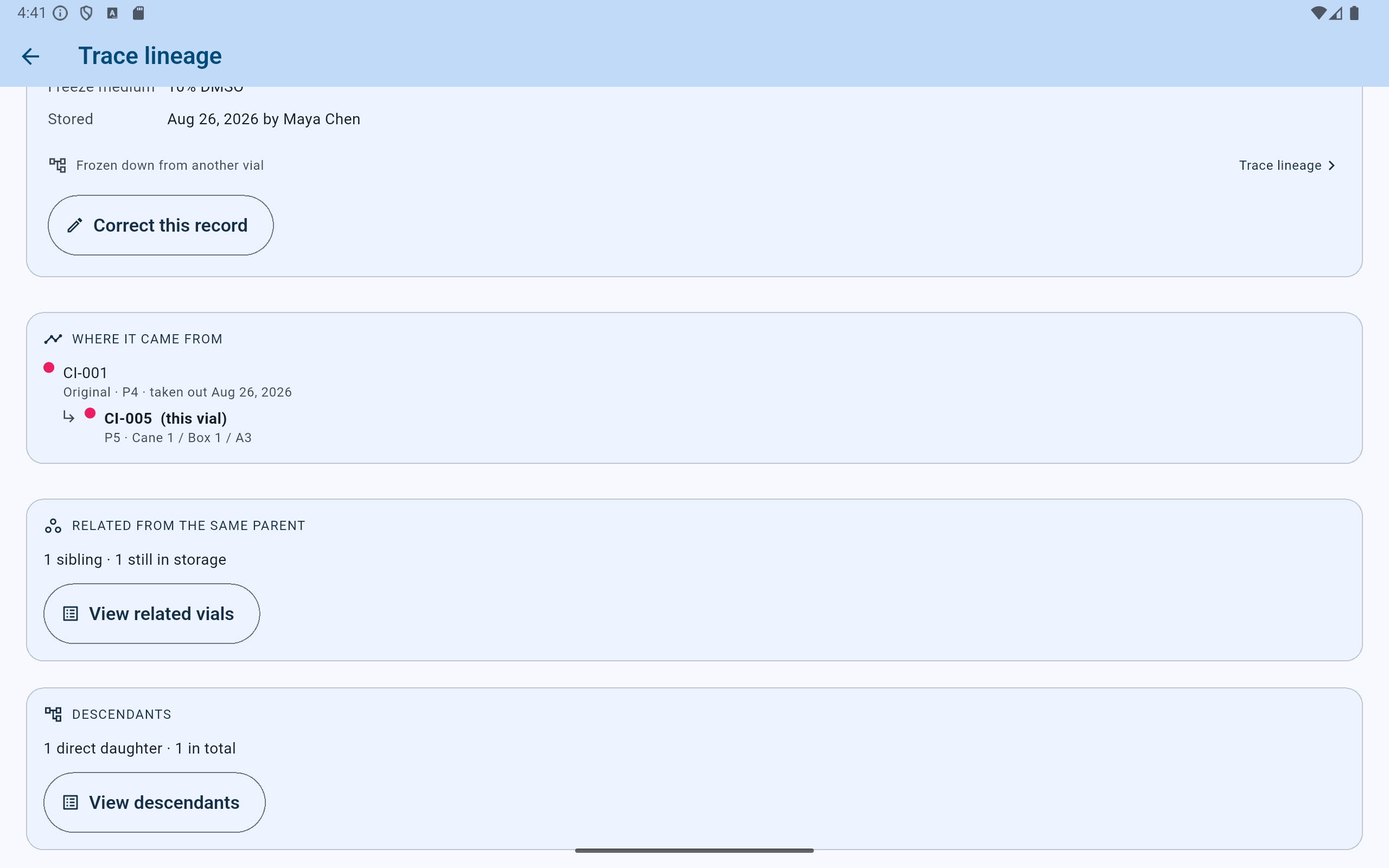
One screen, three questions: what it came from, what shares its parent, and everything made from it.
- The ancestor chain, root first. CI-001 is marked Original and was taken out — a thawed parent still traces.
- Siblings from the same freeze-down, with how many remain in storage.
- Descendants counts direct daughters separately from the whole tree below this vial.
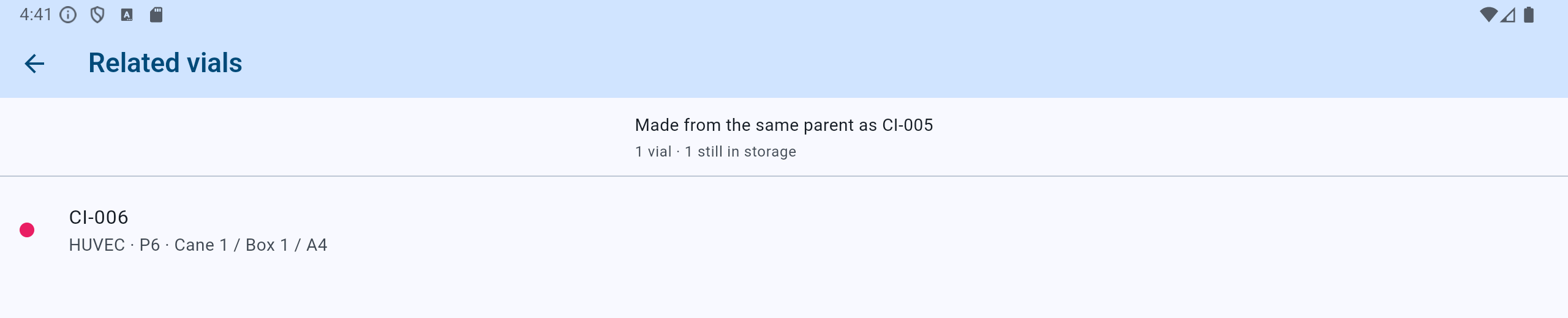
Related vials answers what else came out of the same freeze-down.
- The heading names the vial being traced, so a list opened from two places cannot be confused.
- Open any row to read its own details and history.
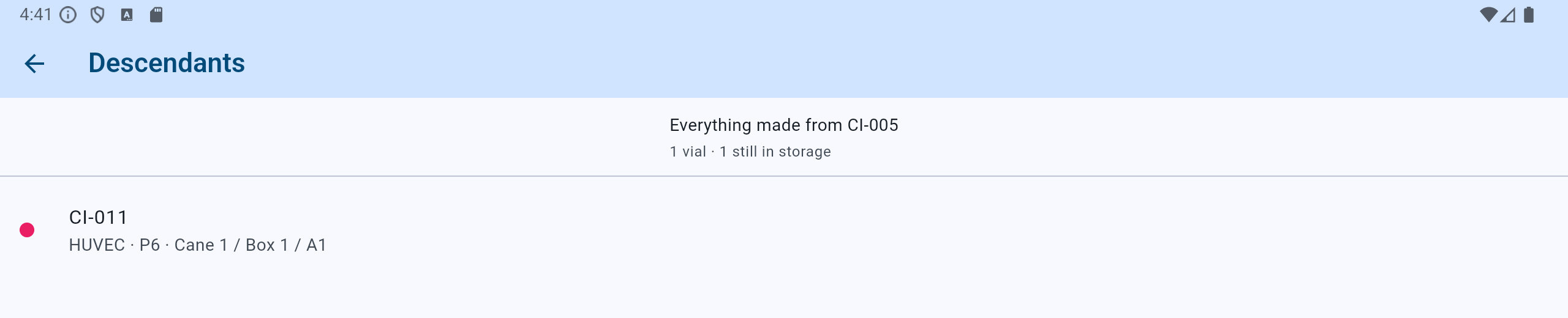
Descendants answers the other direction: everything recorded below this vial.
- Everything below the vial, not only its direct daughters.
- Each entry is a record to open, not a summary. CI-011 is one passage on from CI-005.
Tracing does not automatically place related vials on hold. A do-not-use decision changes an operational state and therefore still requires a named person and reason.
Files and recovery
Use Parent barcode for reviewed imports; use a backup for exact recovery.
- Parent barcode is an optional CSV heading. It links only when exactly one non-struck record has ever worn that label.
- The CSV column means same-line banking. Differentiated lineage must be recorded or corrected inside CryoIndex.
- A row naming a parent it could not have come from — a different cell line, an earlier passage, or a freeze date before the parent — is still stored. Only the relationship is refused: the vial arrives with its origin left as Not recorded, and the import names the file rows so they can be checked. One impossible row never costs the rest of the file.
- The two inventory spreadsheets CryoIndex saves beside a backup — not the Settings CSV export, which carries no lineage at all — include a human-readable Lineage reference (not restorable from this file alone). It is evidence for a person, not an import key.
- A current-stock CSV omits removed vials, including many parents. Only a complete
.cix-backuppreserves and restores the exact internal lineage links.